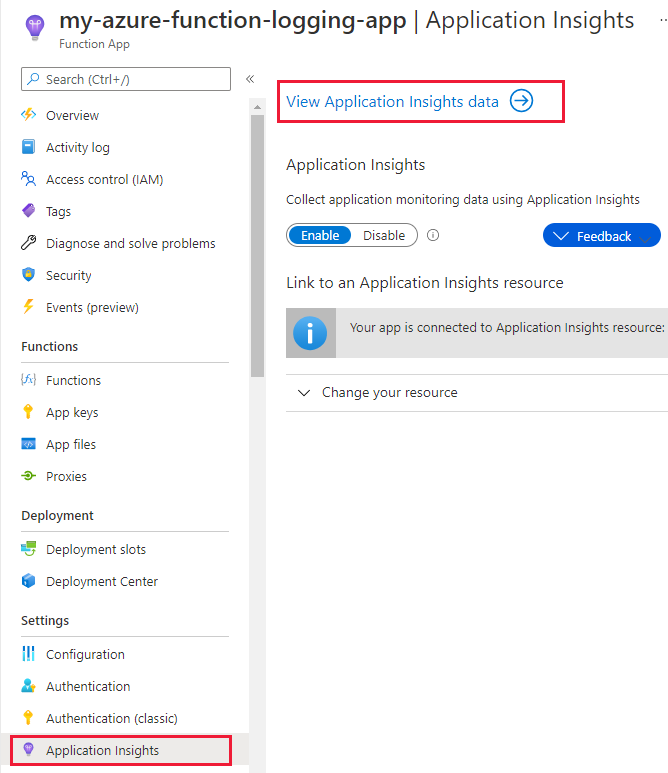
首先在 Azure Portal 上啟用 Function App 的 Application Insight,然後進到 Application Insight,點選 View Application Insights data:
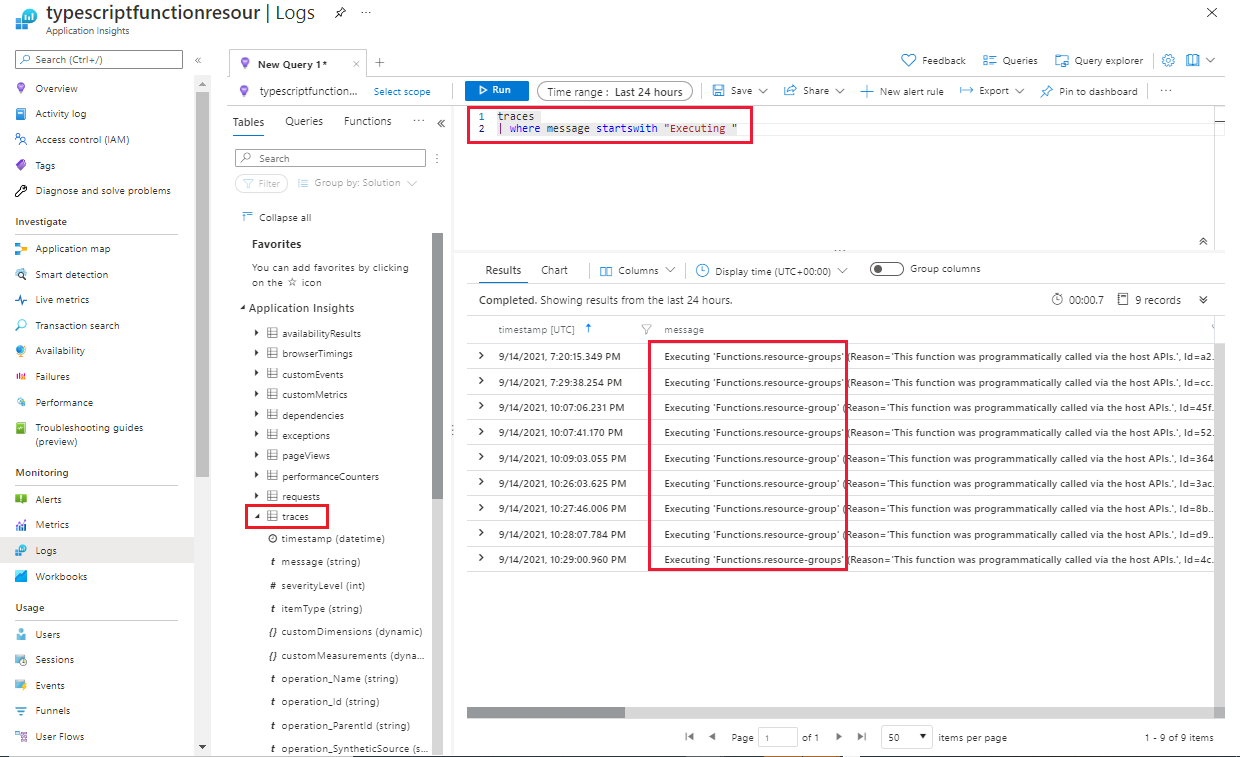
再進到 Logs 中,如果彈出 Queries 模板,先按右上角叉叉關掉,注意到左下 Application Insights 中需要有 traces 區塊。在中間貼上以下 Kusto 語法:
1
2
traces
| where message startswith "Executing "
選好 Time Range 後按下 Run,即可秀出開頭為 "Executing " 的 log:
另一個我比較常用的語法是用 regex 查詢,以下是查詢開頭為 "Executing" 或 "Executed" 的 log:
1
2
traces
| where message matches regex "^(Executing|Executed)"